
Usage Tips
Searching Works
Neokikoeru offers powerful, customizable search that helps you find the works you want quickly.
Multi-Keyword Search
Separate keywords with spaces to search for the intersection of the results; prefix a keyword with - to exclude it. Examples:
浅見ゆい 治愈Searches for works that contain both
浅見ゆいand治愈(healing).浅見ゆい -LoliSearches for works that contain
浅見ゆいbut notLoli.
TIP
If a keyword itself contains spaces, wrap it in quotes, for example "Ear Cleaning".
Progressive Search
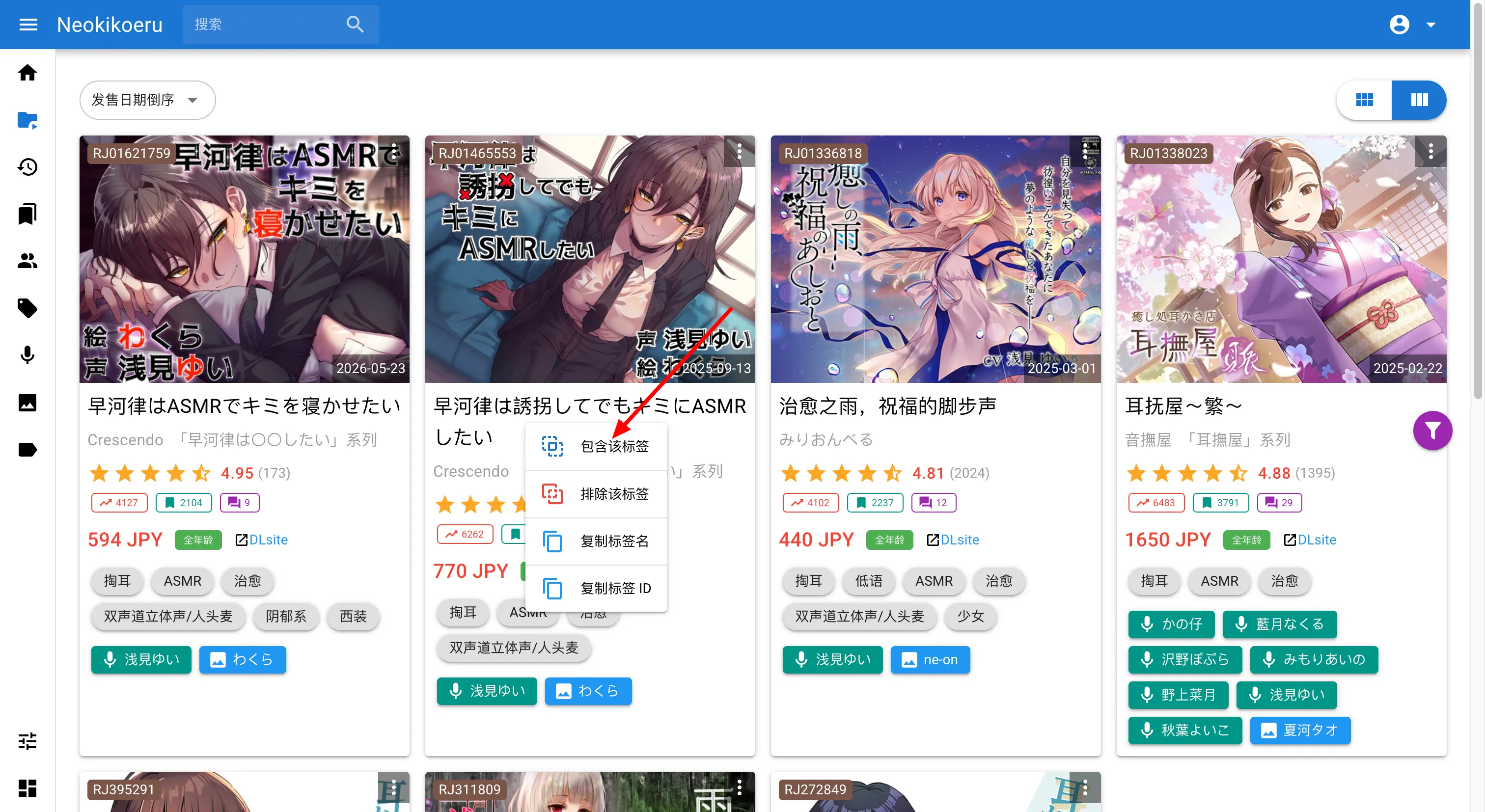
When there are too many results, you can filter further based on the current content through the right-click menu (or a long press on mobile devices).
Advanced Filters
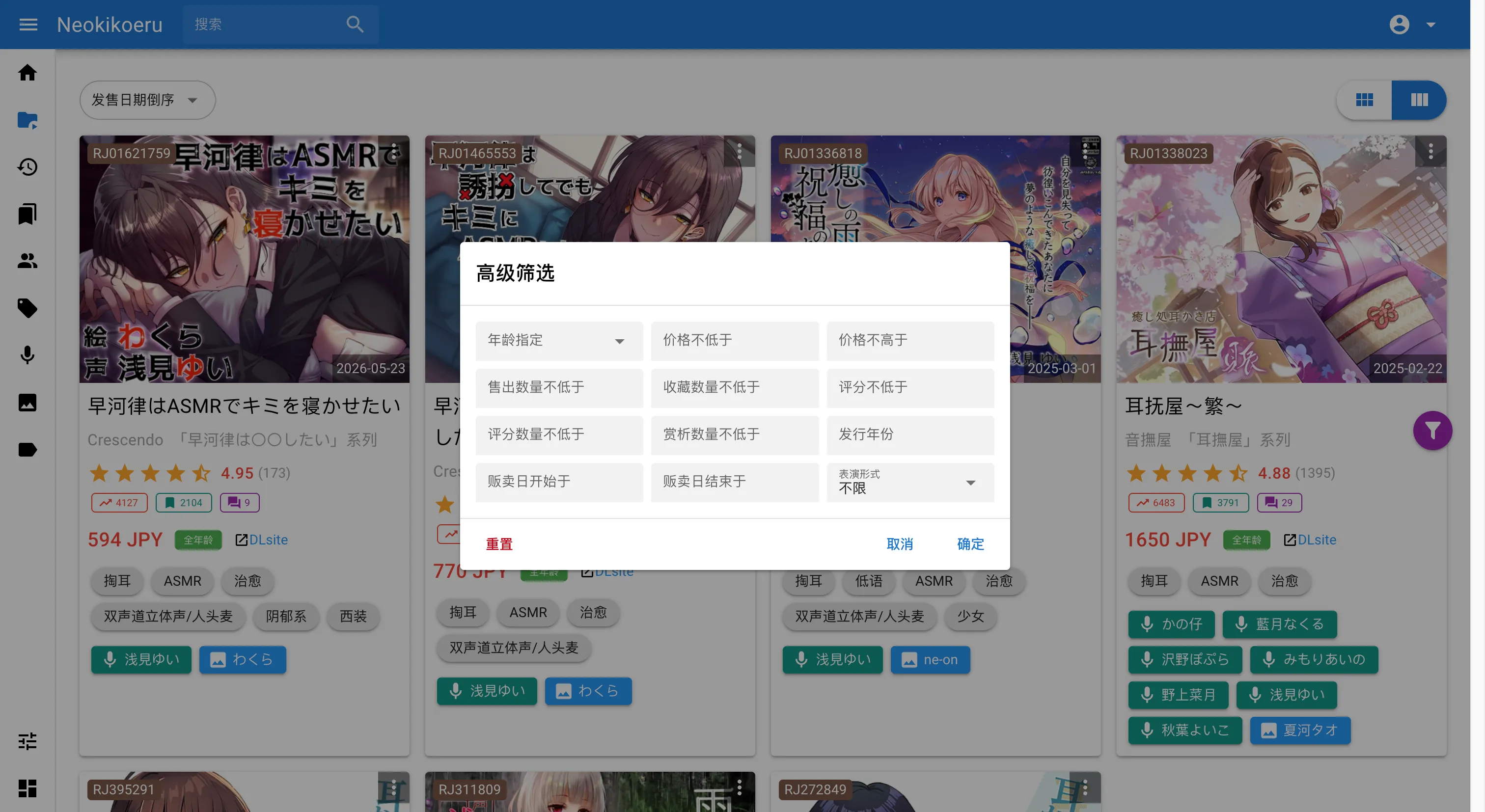
If you need finer-grained search, open the “Advanced Filters” menu with the floating button on the right side of the page.
Subtitle Association
Neokikoeru automatically loads subtitles in .lrc, .vtt, .srt and .ass formats. Matching is exact: the subtitle must be in the same directory as the audio file and must share the same file name.
TIP
If your browser supports Document Picture-in-Picture, you can turn on picture-in-picture subtitles to keep them visible even outside the browser.
File Indexing
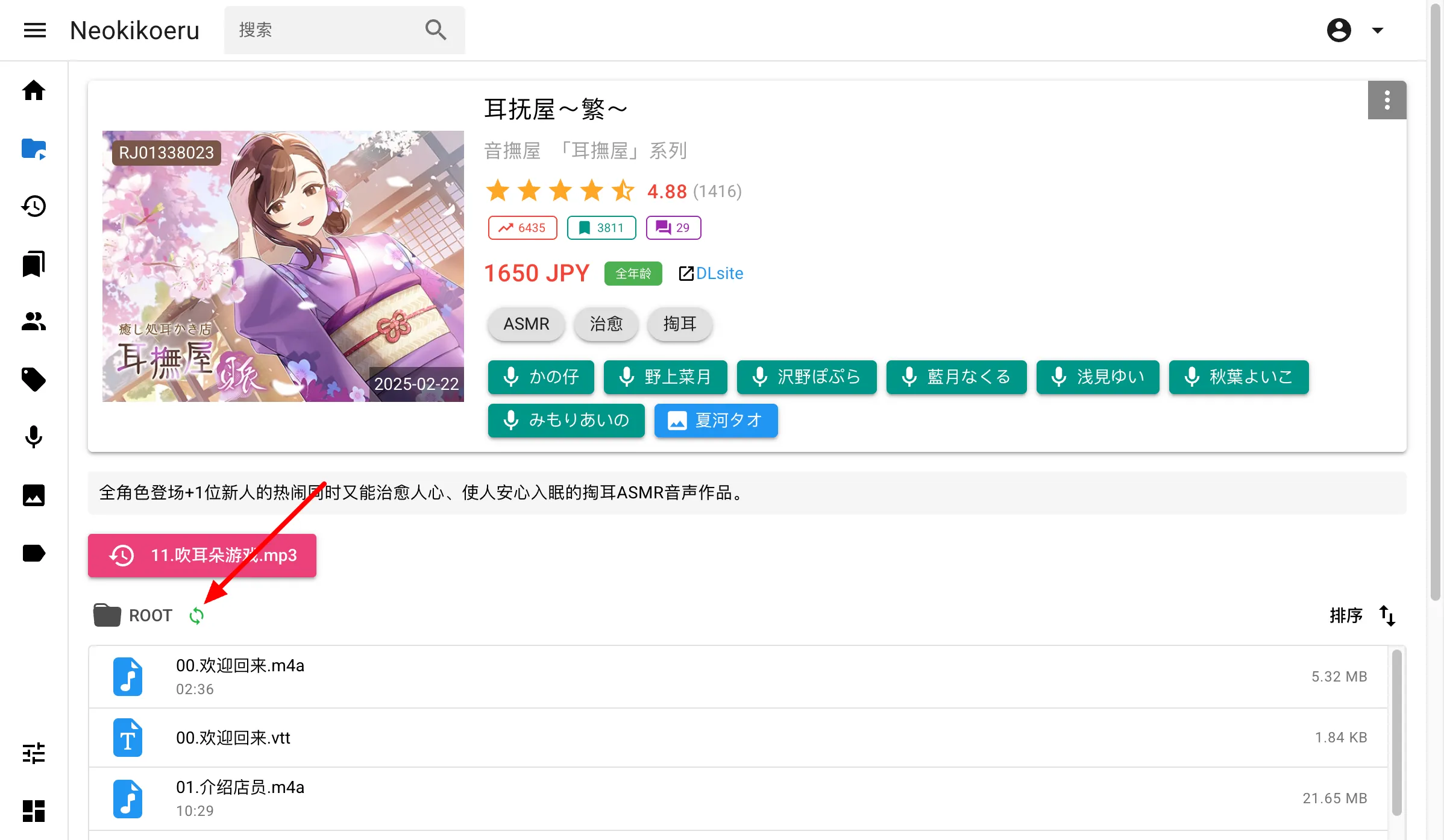
Neokikoeru builds an index automatically as you browse a work's files. If the file source changes, click the sync icon shown below to refresh and rebuild the index.
File Vault
Encrypt files to protect your privacy; Neokikoeru decrypts them automatically while you browse or play.
Encrypt
$ neokikoeru encrypt <pattern...>Decrypt
$ neokikoeru decrypt <pattern...>TIP
pattern is the file or directory to encrypt or decrypt and supports wildcards. For example, neokikoeru encrypt "*.mp4" encrypts every MP4 file in the current directory.
IMPORTANT
Encrypted files end with .d2dcrypt. Never modify the file name in any way, otherwise Neokikoeru cannot decrypt it correctly.
Deleting Works
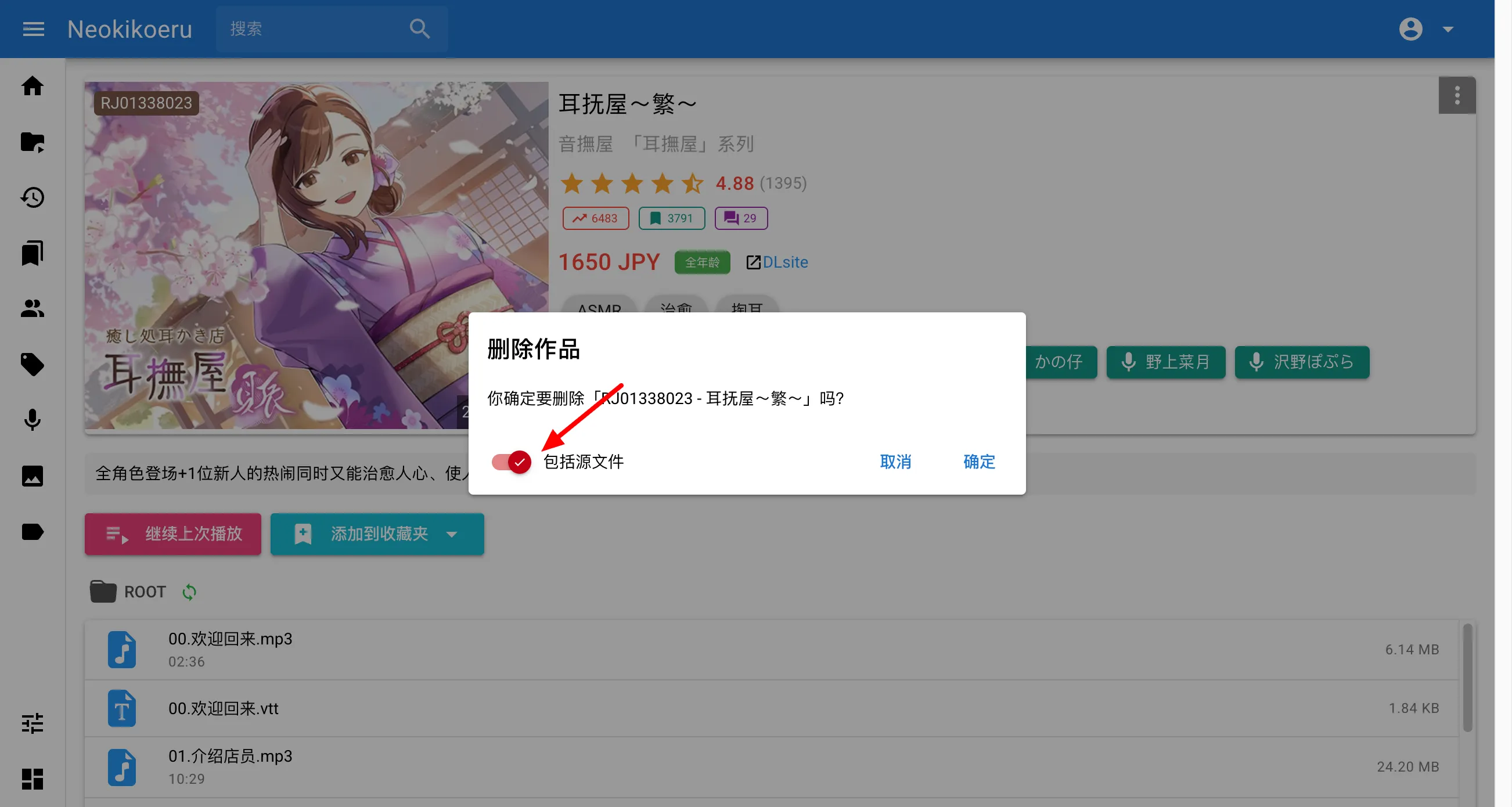
Neokikoeru can delete a work together with its source files. The behavior depends on the storage driver:
| Storage Driver | Policy |
|---|---|
| Local storage | Delete permanently |
| Cloud drive | Move to trash where possible |
| WebDAV | Depends on the upstream |
CAUTION
With the “Local storage” driver, files are deleted permanently and cannot be recovered. Please be careful!